
Transcribe from Cloud
Connect cloud storage and transcribe files directly from Google Drive, Dropbox or OneDrive. No device download required.
Transcription in 3 Easy Steps
Upload File
Select audio or video file in any of 40+ supported formats
AI Processes
Our AI automatically recognizes speech and creates text transcription
Get Result
Download ready transcription in PDF, Word, Txt or other convenient format
Cloud Storage Integration Memo AI
Direct Access
Transcribe files without downloading to computer
Auto-sync
Results are saved back to cloud
Team Access
Work with shared folders and team files
Security
OAuth authorization without password access
Storage Integrations
Translate audio and video from Google Drive to text online
Convert audio and video from Google Drive to text online. Decryption of Google Drive files into text. A free converter for Google Drive audio and video files to text from Memo AI to create high-quality texts without postmoderation
Translate audio and video from Yandex.Disk to text online
Convert audio and video from Yandex.Disk to text online. Decryption of Yandex.Disk files into text. A free converter for audio and video files from Yandex.Disk to text from Memo AI for creating high-quality texts without postmoderation
No need to rewatch every meeting
Memo AI transcribes calls, structures answers and produces a clear summary — so you can make decisions without the busywork
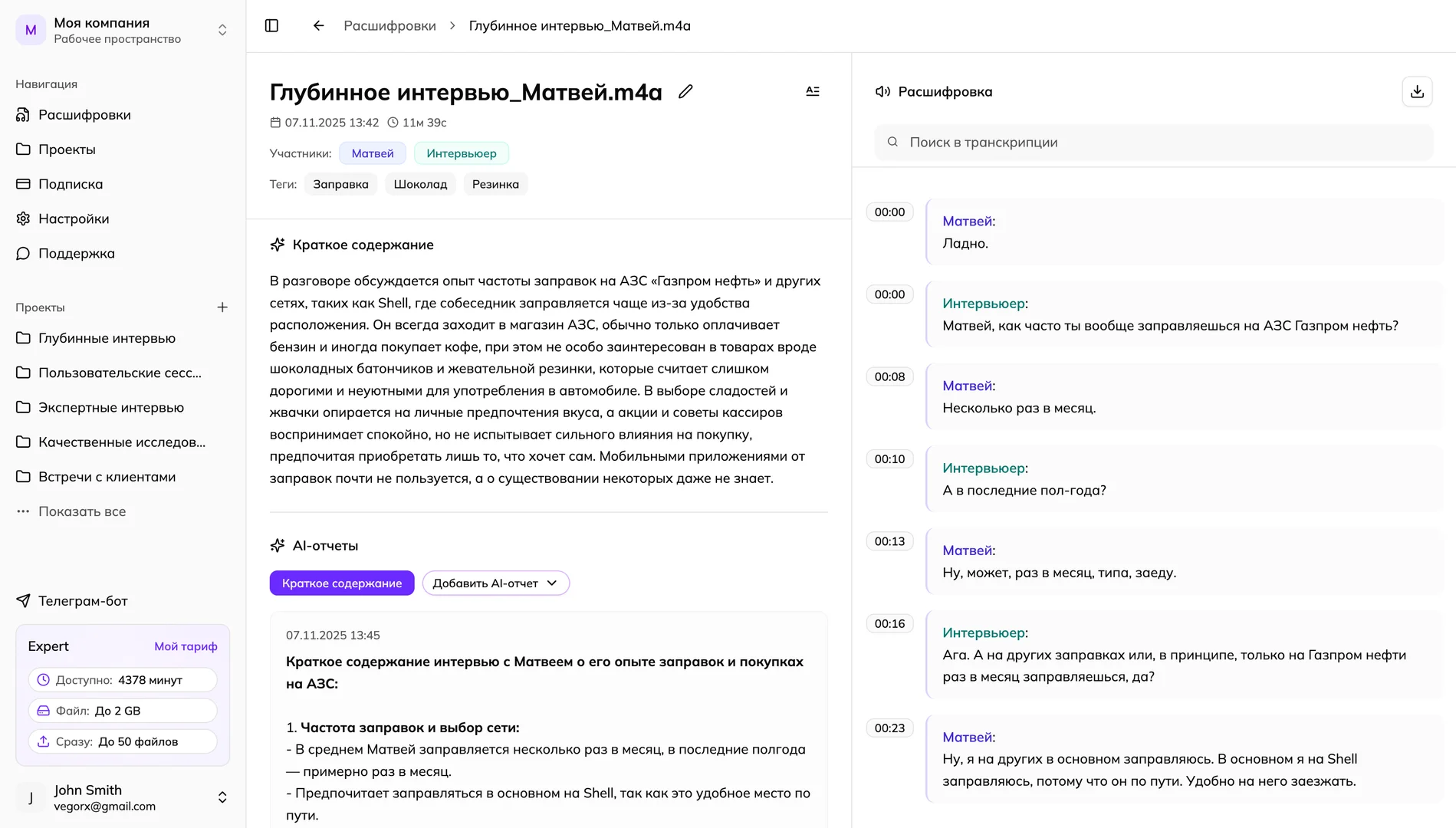
Save hours — gain more insight
Memo AI helps teams cut transcription time and focus on outcomes
hours transcribed with our users
users and counting
"During field season we transcribe up to 50 interviews a day. Memo AI converts audio into structured text in minutes, tags speakers and adds timestamps. Ready‑made coding halved our initial analysis time."

Researcher
"I run 5–6 in‑depth interviews weekly. With Memo AI I get the transcript in minutes and the AI report surfaces insights instantly. I save at least 6 hours every week."

UX Researcher
"We transcribe all daily standups and CustDev calls. The service posts summaries to Telegram automatically. Recognition stays accurate even with average mics. Action items form themselves."

Product Manager
Frequently Asked Questions about transcribing audio and video files from cloud storage into text
Memo AI provides 50 minutes of free audio-to-text transcription for new users.
Yes, after transcription, you can export the result to various text formats: PDF, Word (DOCX) and plain text file (TXT) users.
The main limitations are: the maximum file size is 2 GB (about 20 hours of audio), the free limit is 50 minutes of transcription. The accuracy depends on the recording quality.
Advantages: very fast processing (60 minutes of audio in 3-5 minutes), high accuracy (up to 99% with good quality), export to PDF, Word and TXT. Disadvantages: accuracy decreases with poor audio quality, and an internet connection is required.
Memo AI combines high recognition accuracy (up to 99%), instant processing (60 minutes of audio in 3-5 minutes), a generous free limit of 50 minutes and convenient export to popular formats (PDF, Word, TXT). Simple interface and reliable work with files up to 2 GB.
You can upload files up to 2 GB in size, which corresponds to about 20 hours of audio in good quality.
The recognition accuracy depends on the audio quality. With good recording quality, the accuracy reaches up to 99%.
Transcription is very fast — 60 minutes of audio is processed in just 3-5 minutes.
Connect Cloud Storage
Integration takes 30 seconds. Start transcribing files from cloud right now.